https://www.legacysurvey.org//viewer/?ra=229.6458&dec=2.0677&layer=ls-dr9&zoom=10
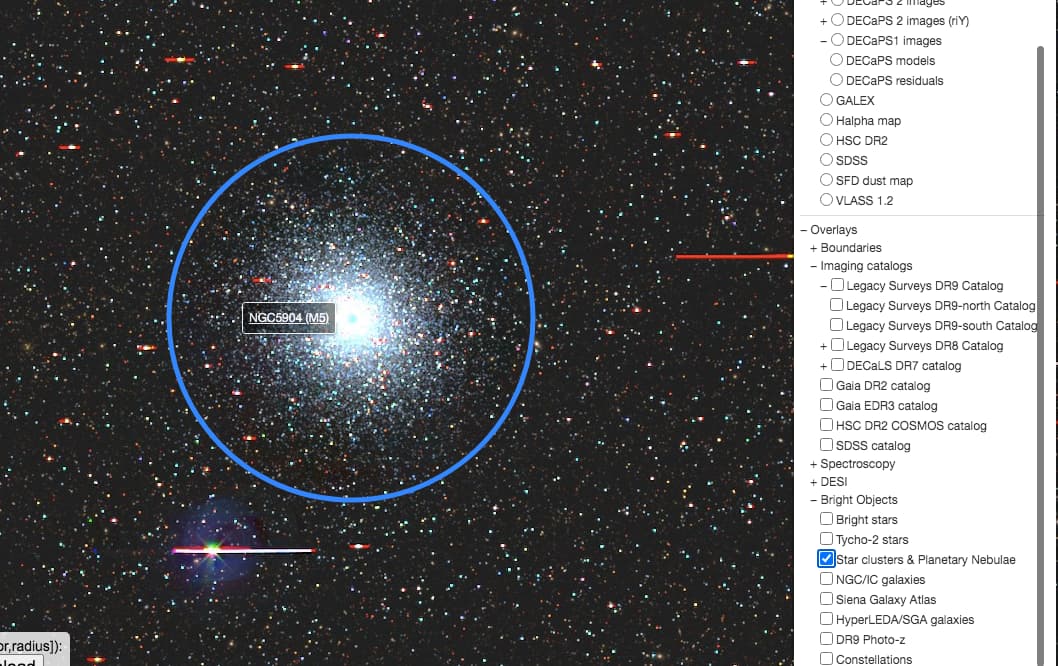
Left-click on the object and select “look up in Simbad”. There you can see it’s the globular cluster NGC 5904 (in NGC catalog) or M5 (Messier catalog).
Nice  In the menu on the right-hand side, in the “Bright objects” section, if you turn on the “NGC/IC galaxies”, you’ll get some of these galaxies and clusters labelled, and the labels are links to more information (from Simbad, an astronomical database). In this case, that’s NGC 5904 (NGC 5904), also known as Messier 5, a globular cluster. That’s a very dense cluster of stars within the Milky Way.
cheers,
dustin
thank you! I was checking Simbad at first but (since I don’t know what I’m doing) when I clicked on any links, it said ‘star’ or something singular I was clicking on. I am now starting to get what the letters mean and thank you for pointing out the ‘NGC’ and ‘M’ meanings. It also helps that I now know what these things are.
oh good god, that is so much easier than randomly searching… I feel silly now lol. thank you. Perhaps I should have checked ALL the tabs on the side there.
thank you also! I am now starting to understand a bit better how to navigate some of these menus and links and such. It was at first, just a bunch of letters and numbers staring me in the face. It still is but now I know what some mean
Also I found one more random globular star cluster last night (before I realized there was an easier way, thank you again) Legacy Survey Sky Browser NGC1851 If I am getting this correctly?
Is there a good way to save objects to find later or to put in groups? At the moment I have been copying the link of an object onto ‘sticky notes’ via my computer. Very fancy like. I have no idea how to use any of the stuff on the links to do that, besides to share here.